

Your app
Your backendtoken endpoint
Toltplatform.tolt.com
1POST /api/referrals/token
2POST /v2/embed-tokens by email
3new? create the partner
4200 token, expires_at
5token: eyJhbGciOi…
6iframe /referrals?token=…
Build it
1
Install the packages and set two variables
2
Return a token from your backend
One call. Tolt finds the partner by email in your program, or creates them (active, with a referral link) the first time.Send
referrals.ts
first_name and last_name in partner too if you have them; they’re used only when the partner is created.Call it from any endpoint your app can reach with the user’s session:Edge cases
Edge cases
- Partner the dashboard won’t open. A partner who was invited but hasn’t finished onboarding, or who is suspended or rejected, gets
404, soreferralTokenreturnsnull. Show a short “Referrals aren’t available for your account” message instead of a dashboard. - Paused program. A program that isn’t active also returns
404, and no one is enrolled into it. - Two tabs at once. Two first visits at the same moment end up with the same partner; Tolt creates them once.
- No name. Without a name, Tolt builds the link slug from the part of the email before the
@. - Review first. Partners created here are active right away. To approve them before they earn, create them yourself with
status: "pending"(see Partner signup).
3
Render the dashboard
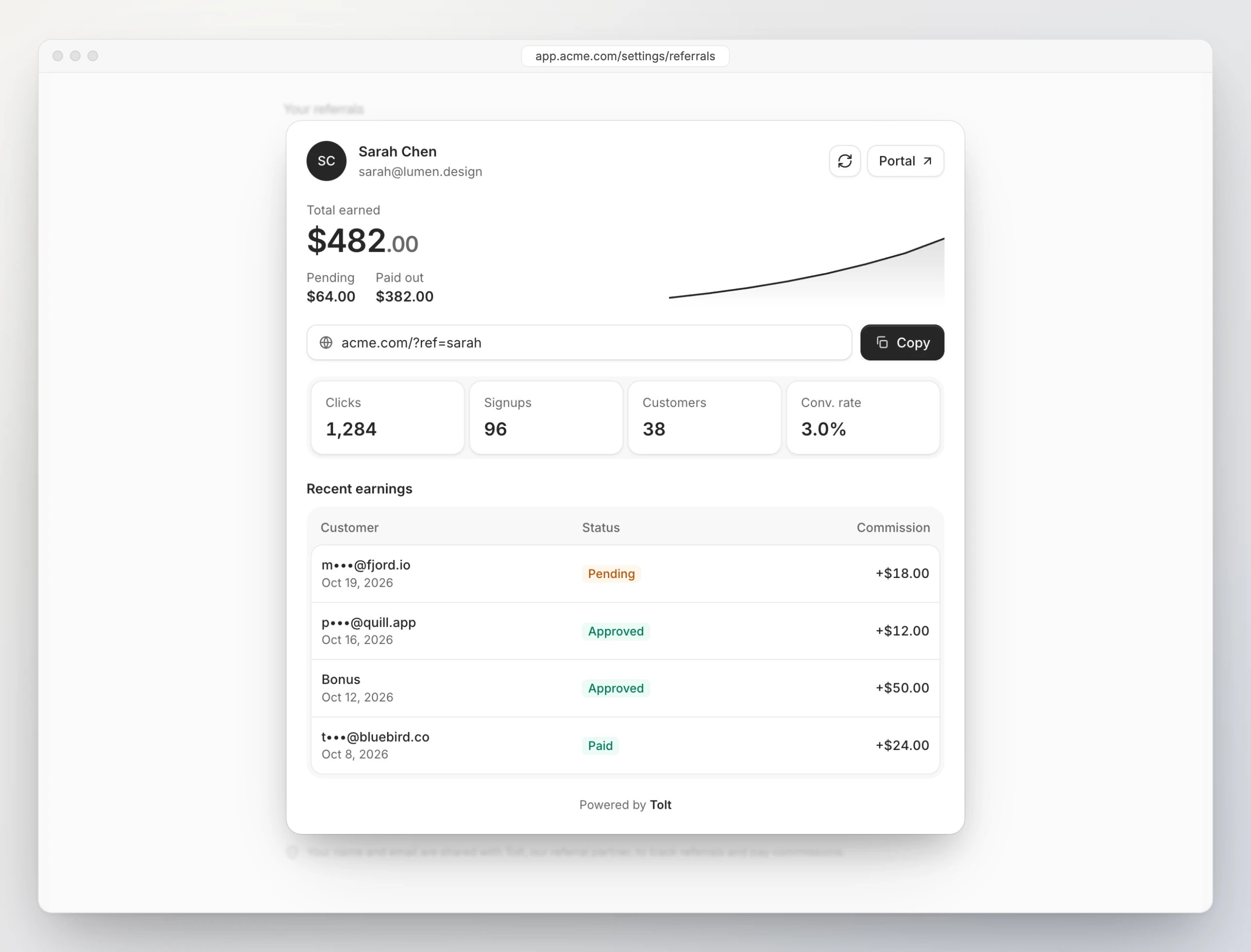
Wherever the dashboard lives in your app, fetch a token when it mounts and pass it to The dashboard has its own refresh button and a Portal link to your partner portal (payout details, profile), so it needs nothing around it.
<ToltEmbed>. Match your app’s theme, and fetch a new token only when the old one has expired. Not using React? See the plain iframe.ReferAFriend.tsx
Tips
- Give it an obvious home. Account settings, a sidebar link or a dedicated page all work. It belongs to the person, so every user gets their own link.
- Explain the deal. A line about what partners earn tells users what the numbers mean before they see a $0 balance.
- Say what you share. Note that the user’s name and email go to Tolt to track referrals and pay commissions.
- Hide it until it’s configured. If
TOLT_API_KEYorTOLT_PROGRAM_IDis missing, leave it out of your navigation and have the endpoint return404.
Referral links only earn once your site records the click and the signup. If you haven’t set that up, start with the Quickstart.